Virtual Science Labs for Educators
AI Simulations in Education: How Virtual Labs and Interactive Worlds Are Transforming the Classroom
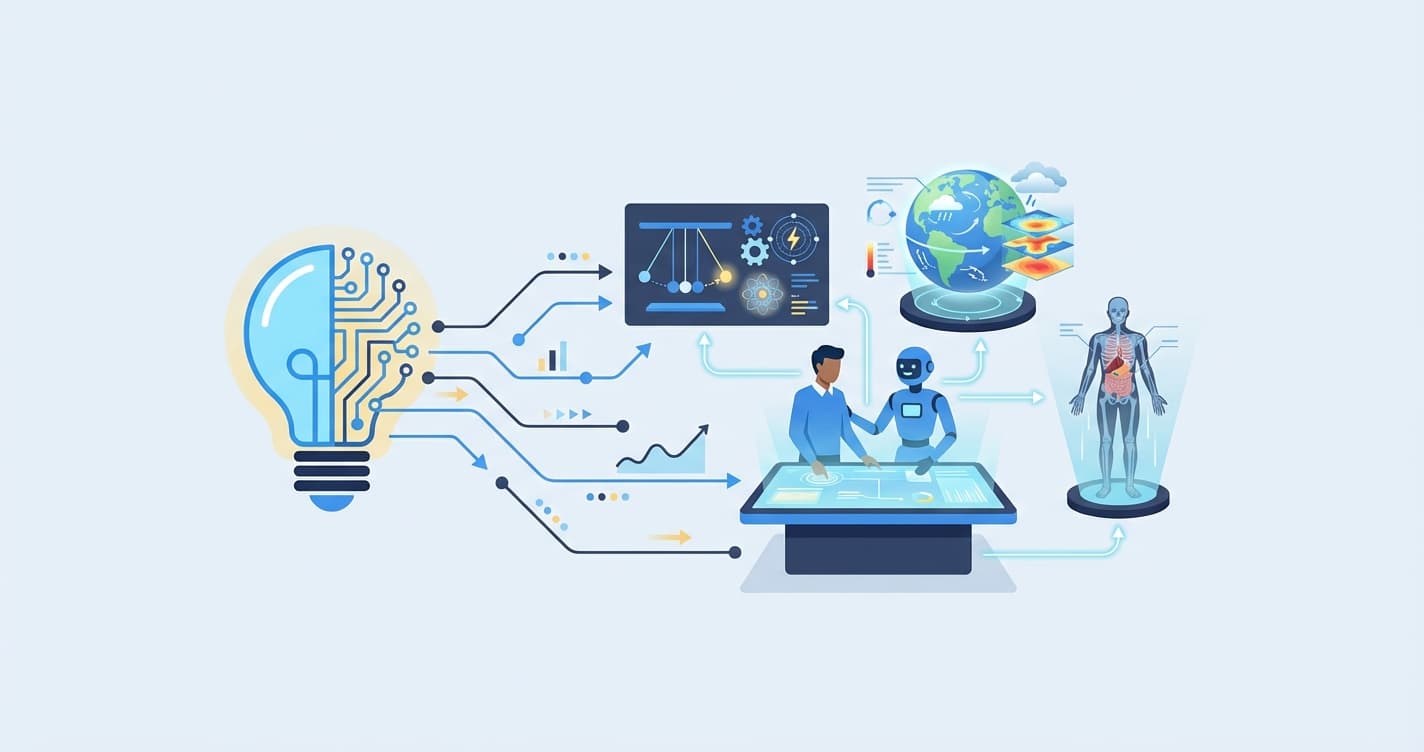
AI simulations in education are computer-generated, interactive environments that use artificial intelligence to model real-world phenomena — from the trajectory of a projectile in physics to the tectonic forces shaping a continent — and adapt in real time to a student's actions, decisions, and learning level. Unlike static textbook diagrams or pre-recorded videos, AI-powered educational simulations respond dynamically: a student can change a variable, observe the consequence, and build intuitive understanding through experimentation rather than memorization.
The idea of simulation-based learning is not new. Flight simulators have trained pilots since the 1930s, and medical simulations have prepared surgeons for decades. What is new is the convergence of generative AI, affordable computing power, and accessible web technologies that makes it possible to bring these experiences into K-12 classrooms, tutoring centers, and after-school programs — without specialized hardware or six-figure budgets. AI simulations in education are no longer a futuristic concept. They are a practical, increasingly affordable tool for any educator who wants students to learn by doing rather than by reading.
What Are AI-Powered Educational Simulations?
An educational simulation is a digital model of a real or hypothetical system that students can manipulate to observe outcomes. A physics simulation might let a student launch a ball at different angles and see how gravity, air resistance, and initial velocity affect the landing point. A geography simulation might let a student shift tectonic plates and watch mountains form over millions of years, compressed into thirty seconds.
What makes a simulation "AI-powered" is the addition of machine learning and adaptive algorithms that personalize the experience. Traditional simulations run the same scenario for every student. AI simulations in education adjust difficulty, provide hints when a student is stuck, generate new scenarios based on the student's performance history, and assess understanding in real time — all without a teacher manually configuring anything.
There are three broad categories of AI-powered educational simulations:
Parametric Simulations
These model systems governed by known equations. Physics simulations are the classic example: projectile motion, electrical circuits, wave interference. The AI layer adds adaptive scaffolding — if a student consistently miscalculates the effect of friction, the simulation generates additional friction-focused scenarios and provides targeted explanations.
Exploratory Simulations
These create open-ended environments where students discover principles through exploration. An interactive geography simulation, for instance, might present a virtual Earth where students can manipulate rainfall patterns, observe erosion, and predict how river systems evolve. The AI tracks which regions the student explores, identifies gaps in their understanding, and subtly guides them toward unexplored concepts.
Narrative Simulations
These embed learning in a story. A history simulation might place a student in the role of a leader during the Industrial Revolution, where their decisions about labor laws, trade policies, and infrastructure investment produce different outcomes. The AI generates branching storylines and evaluates the student's reasoning, not just their choices.
Each category serves different learning objectives, and the most effective AI simulations in education often blend elements of all three.
Subject Areas Where AI Simulations Excel
Physics
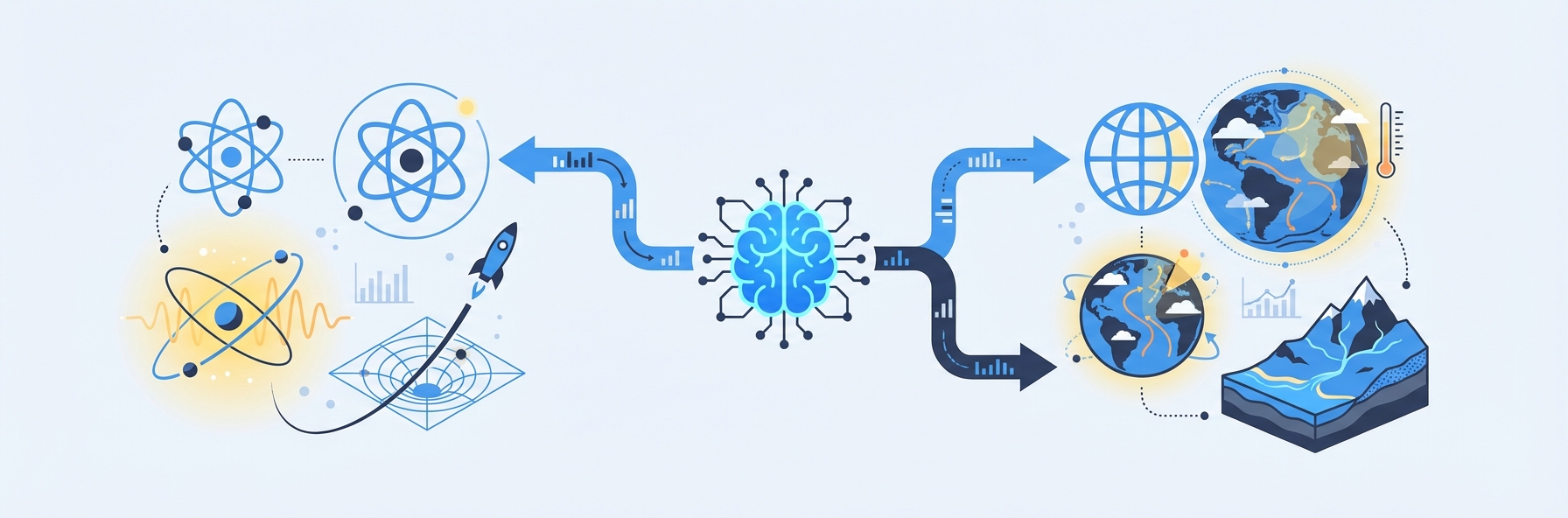
Physics is the most natural fit for simulation-based learning because the subject is fundamentally about systems, variables, and observable outcomes. When a student reads that "force equals mass times acceleration," the concept remains abstract. When they adjust mass and force in a simulation and watch an object accelerate in real time — and then predict the outcome before running the next trial — the concept becomes intuitive.
AI-enhanced physics simulations go further than traditional ones. They analyze a student's experimental choices to identify misconceptions. If a student consistently ignores air resistance, the AI introduces scenarios where air resistance is the dominant factor, forcing the student to confront the concept. Research from the University of Colorado, home of the PhET Interactive Simulations project, found that students using well-designed simulations scored significantly higher on conceptual assessments than those receiving traditional lecture-based instruction.
Current tools include PhET (free, browser-based), Algodoo (2D physics sandbox), and Labster (virtual labs with guided investigations). IntelGrader is developing physics simulations that connect directly to its assessment engine — a student completes a simulation, and the platform automatically generates follow-up worksheet problems calibrated to the concepts the student struggled with during the simulation.
Chemistry
Chemistry simulations let students conduct experiments that would be expensive, dangerous, or logistically impossible in a typical classroom. Mixing volatile reagents, observing reactions at extreme temperatures, and visualizing molecular bonds at the atomic level all become safe and repeatable. AI adds the ability to grade a student's lab technique — did they add reagents in the correct order? Did they form a valid hypothesis before starting?
Biology
From cell division to ecosystem dynamics, biology simulations let students manipulate living systems on timescales that range from milliseconds (neural signaling) to millennia (evolution). AI-powered biology simulations can generate unique organisms with specific traits and challenge students to predict inheritance patterns, population dynamics, or evolutionary outcomes.
Geography
Interactive geography is one of the most exciting frontiers for AI simulations in education. Traditional geography instruction relies heavily on static maps and memorization of capitals and rivers. AI-powered geography simulations transform the subject into a dynamic, exploratory experience. Students can manipulate climate variables and watch vegetation zones shift, simulate urbanization and observe its effects on water systems, or explore how trade routes develop based on terrain and resources.
Google Earth already provides a foundation for geographic exploration, and platforms like IntelGrader are building on this concept with AI-driven interactive geography features that adapt to each student's level — presenting simpler terrain analysis for younger students and complex geopolitical modeling for advanced learners.
History
History might seem like an unlikely candidate for simulation, but AI-powered narrative simulations are proving remarkably effective. By placing students inside historical scenarios — managing a colony, navigating a trade network, surviving a pandemic — simulations transform history from a subject students passively absorb into one they actively experience. The AI evaluates not just the student's decisions but their reasoning, asking them to justify choices based on historical evidence.
IntelGrader's vision for history learning includes comic book-based experiences where students engage with illustrated historical narratives, make decisions at key turning points, and see the consequences unfold in a visual, story-driven format. This approach is particularly effective for students who struggle with traditional text-heavy history instruction.
How AI Simulations Work: The Technology Stack
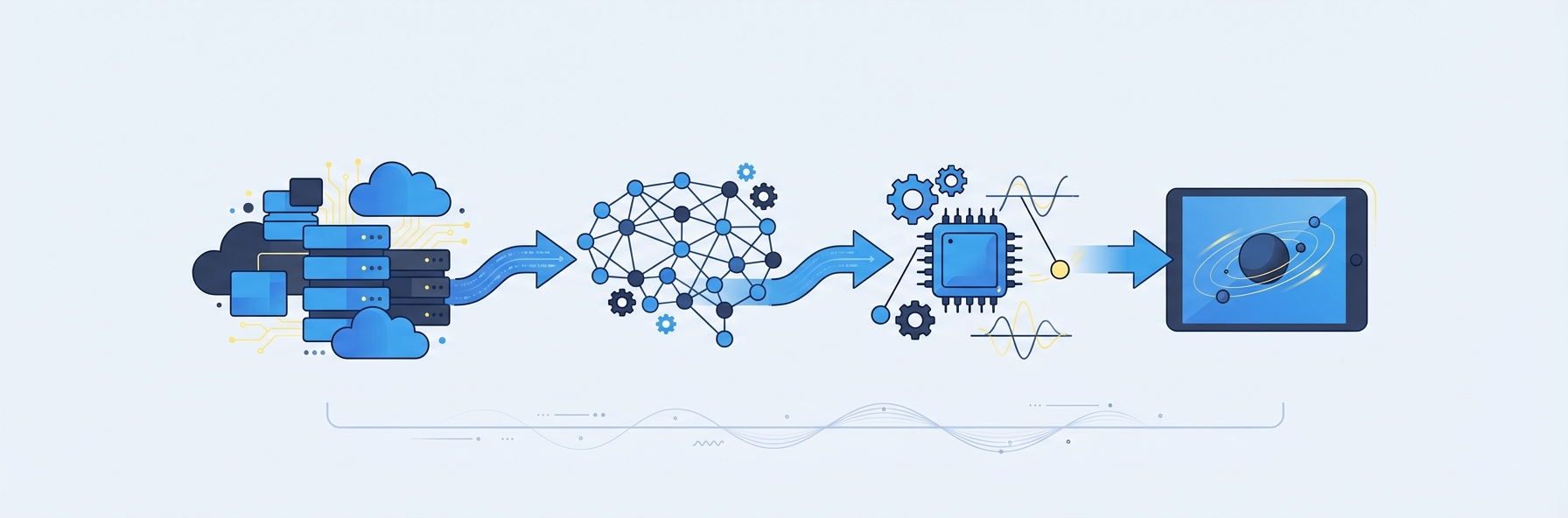
Understanding the technology behind AI simulations in education helps educators evaluate platforms and make informed purchasing decisions.
Game Engine Layer
Most educational simulations are built on game engines — the same technology that powers video games. Unity and Unreal Engine are the two dominant platforms. These engines handle the real-time rendering of 3D environments, physics calculations, and user interaction. They produce the visual experience: the ball flying through the air, the continent drifting across a virtual ocean, the chemical reaction producing a color change.
Game engines are what make simulations feel engaging rather than clinical. They support rich visual feedback, sound effects, and smooth animations that keep students immersed. The cost of developing on these engines has dropped dramatically in the last five years, which is one reason educational simulations are becoming more common and more affordable.
AI and Machine Learning Layer
On top of the game engine sits the AI layer, which is responsible for adaptation and assessment. This layer includes:
- Student modeling algorithms that build a real-time profile of each student's knowledge state, learning pace, and common errors.
- Adaptive difficulty engines that adjust simulation parameters to keep the student in their zone of proximal development — challenged enough to learn, but not so overwhelmed that they disengage.
- Natural language processing that enables AI tutoring within the simulation, allowing students to ask questions and receive explanations without leaving the environment.
- Generative AI that creates novel scenarios, problems, and narrative branches, ensuring no two students have identical experiences.
VR and AR Integration
Virtual reality (VR) and augmented reality (AR) add a layer of immersion. VR headsets place the student inside the simulation — walking through a virtual cell, standing on a virtual fault line. AR overlays digital information onto the physical classroom, letting students point a tablet at their desk and see a 3D molecule hovering above it.
While VR/AR simulations are compelling, they are not yet practical for most schools and tutoring centers due to hardware costs and classroom management challenges. The majority of effective AI simulations in education today run in a standard web browser, which keeps deployment simple and accessible.
Assessment Integration
The most valuable educational simulations are not standalone experiences — they connect to assessment systems that track what students learned. This is where platforms like IntelGrader add unique value. By linking simulation activities to structured assessments (worksheets, quizzes, and progress tracking), the simulation becomes part of a learning loop rather than an isolated activity.
A student might complete a physics simulation on projectile motion, and IntelGrader's system would automatically generate a follow-up worksheet targeting the specific concepts the student found challenging during the simulation. The graded worksheet results feed back into the student's knowledge profile, informing the next simulation session. This closed loop — simulate, assess, adapt — is the future of AI simulations in education.
What the Research Says: Benefits of Simulation-Based Learning
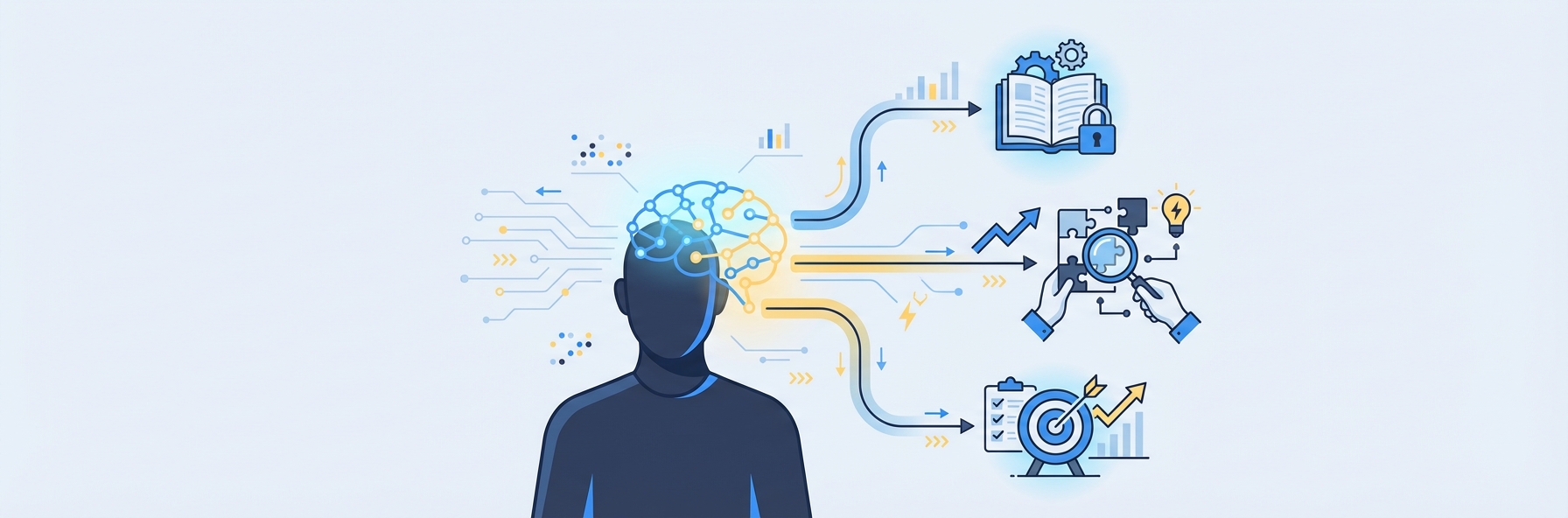
The evidence base for simulation-based learning is substantial and growing. Here are the key findings that matter for educators considering adoption.
Improved Conceptual Understanding
A meta-analysis published in the Journal of Science Education and Technology (2020) examined 72 studies comparing simulation-based learning to traditional instruction. The analysis found that students using simulations scored an average of 0.46 standard deviations higher on conceptual assessments — equivalent to moving a student from the 50th percentile to approximately the 68th percentile. The effect was strongest in physics and chemistry, where the ability to manipulate variables and observe immediate outcomes directly supports conceptual development.
Higher Engagement and Motivation
Simulations consistently outperform traditional instruction on engagement metrics. Students spend more time on task, report higher interest in the subject, and are more likely to pursue optional extension activities. A 2022 study from Stanford's Graduate School of Education found that students using AI-adaptive simulations spent 34% more time engaged with science content compared to students using static digital resources.
Better Transfer to New Problems
One of the most important findings is that simulation-based learning improves transfer — the ability to apply learned concepts to new, unfamiliar problems. Students who learn projectile motion through a simulation are better at predicting trajectories in novel contexts than students who learn the same equations through worked examples. This suggests that the active, experimental nature of simulations builds deeper understanding rather than surface-level memorization.
Reduced Achievement Gaps
Several studies have found that simulation-based learning disproportionately benefits struggling students. Students who perform poorly with traditional instruction often thrive in simulation environments because they can learn at their own pace, make mistakes without social consequences, and receive immediate, personalized feedback. AI-powered simulations amplify this effect by adapting difficulty dynamically, ensuring every student works at the appropriate level.
Effective When Combined with Direct Instruction
Simulations are not a replacement for teaching. The research is clear that the strongest learning outcomes occur when simulations are combined with direct instruction — a teacher introduces the concept, students explore it in a simulation, and the teacher leads a debrief discussion. AI simulations in education work best as one component of a well-designed lesson, not as a standalone substitute for a human educator.
Current Tools and Platforms
Educators do not need to wait for the future — effective simulation tools are available today. Here is an overview of the leading options.
PhET Interactive Simulations
Developed by the University of Colorado Boulder, PhET offers over 160 free, browser-based simulations covering physics, chemistry, math, earth science, and biology. PhET simulations are research-backed, widely used, and available in dozens of languages. They are an excellent starting point for any educator new to simulation-based learning. The main limitation is that PhET simulations are not AI-adaptive — they run the same way for every student.
Labster
Labster provides virtual science labs for high school and higher education. Students conduct experiments in 3D environments with guided investigations and real-time feedback. Labster integrates with major learning management systems and offers over 300 simulations. Pricing is per-student and varies by institution size.
Google Earth and Google Arts & Culture
For geography and history, Google Earth provides a free, powerful platform for virtual exploration. Students can fly over mountain ranges, explore ocean floors, and visit historical sites in 3D. Google Arts & Culture adds curated collections of historical artifacts and artworks. Neither platform is AI-adaptive, but both provide rich raw material for simulation-based lessons.
Minecraft Education
Minecraft Education transforms the popular game into a learning platform. Students build historical structures, model ecosystems, design electrical circuits, and explore chemical compounds using Minecraft's block-based interface. The platform is particularly effective for younger students and those who struggle with traditional academic formats.
IntelGrader (Upcoming Simulation Features)
IntelGrader is building a suite of AI-powered simulations designed to integrate directly with its grading and assessment platform. Planned features include physics simulations connected to automatic worksheet generation, interactive geography explorations that adapt to student level, and a knowledge graph that maps each student's conceptual understanding across topics. The integration of simulation with assessment is IntelGrader's differentiator — turning every simulation session into a data point that informs personalized learning pathways. Learn more about IntelGrader's approach to AI in education or explore the tutoring software platform.
Implementation Guide: Bringing AI Simulations Into Your Classroom
Adopting AI simulations in education does not require a complete overhaul of your curriculum or technology infrastructure. Here is a practical, step-by-step guide.
Step 1: Start With One Subject and One Simulation
Do not attempt to deploy simulations across every subject simultaneously. Pick the subject where simulation offers the clearest advantage — typically physics or chemistry — and select one high-quality simulation tool. PhET is an excellent free starting point. Run it with a single class or tutoring group for four to six weeks before expanding.
Step 2: Integrate With Existing Lessons
The simulation should enhance your existing lesson plan, not replace it. A proven structure is:
- Direct instruction (10-15 minutes): The teacher introduces the concept.
- Guided simulation (15-20 minutes): Students explore the concept in the simulation with specific objectives.
- Assessment (10 minutes): Students complete a worksheet or quiz to demonstrate understanding. Platforms like IntelGrader can grade handwritten worksheets instantly, closing the feedback loop within the same lesson.
- Debrief (5-10 minutes): The teacher leads a discussion connecting simulation observations to the formal concept.
Step 3: Train Your Staff
Teachers and tutors need hands-on experience with simulations before using them with students. Budget one to two professional development sessions for initial training, covering both the technical operation of the tools and the pedagogical approach to simulation-based lessons.
Step 4: Collect Data and Iterate
Track student outcomes — assessment scores, engagement metrics, and qualitative feedback — to determine whether simulations are improving learning in your context. Use this data to refine your approach, expand to additional subjects, or switch tools if the current one is not producing results.
Step 5: Scale Gradually
Once you have evidence that simulations work in your setting, expand to additional subjects and grade levels. Consider platforms like IntelGrader that offer integrated assessment alongside simulation, reducing the administrative overhead of managing multiple disconnected tools.
Cost Considerations
The cost of implementing AI simulations in education varies enormously depending on the tools, scale, and level of immersion.
Free and Low-Cost Options
- PhET: Entirely free, browser-based, no hardware requirements beyond existing computers or tablets.
- Google Earth: Free, runs in Chrome browser.
- Minecraft Education: Approximately $5 per student per year with a Microsoft 365 Education license.
These options are sufficient for most tutoring centers and schools that want to begin incorporating simulations without significant upfront investment.
Mid-Range Options
- Labster: Typically $20-50 per student per year, depending on institution size and the number of simulations accessed.
- Integrated platforms (like IntelGrader's upcoming simulation suite): Pricing varies; book a demo for current information.
These platforms offer richer AI-adaptive features and better integration with assessment systems.
Premium and VR-Based Options
- VR headsets (Meta Quest, HTC Vive): $300-500 per device, plus software licensing.
- Custom-built simulations: $10,000-100,000+ depending on complexity.
- Full VR lab setups: $15,000-50,000 for a class set of headsets with charging infrastructure and software subscriptions.
These options are typically only justified for specialized programs, STEM magnet schools, or institutions with dedicated technology budgets.
ROI Framework
When evaluating cost, consider the return on investment in three dimensions:
- Learning outcomes: If simulations improve assessment scores by even 10-15%, the long-term value in student progression and retention far exceeds the tool cost.
- Teacher time savings: Simulations with integrated assessment (like IntelGrader's approach) reduce manual grading time, which has a direct labor cost savings.
- Student engagement and retention: For tutoring centers, higher engagement translates directly to lower dropout rates and higher lifetime customer value.
The Future of AI Simulations in Education
The trajectory of AI simulations in education points toward increasingly immersive, personalized, and integrated experiences. Several trends are worth watching.
Generative AI will create simulations on demand. Rather than selecting from a library of pre-built simulations, teachers will describe a learning objective, and AI will generate a custom simulation in minutes. Early examples of this capability are already emerging in research labs.
Knowledge graphs will connect simulations to curricula. Platforms like IntelGrader are developing knowledge graph technology that maps every concept in a curriculum and tracks each student's mastery across that graph. AI simulations will target the specific nodes where a student's understanding is weakest, making every simulation minute maximally productive.
AI chatbots will serve as in-simulation tutors. Students will be able to ask questions and receive explanations while inside a simulation, without breaking their flow. IntelGrader's planned AI chatbot for student help represents this direction — providing real-time support that adapts to the student's current context and performance history.
Simulations will become the assessment. Rather than simulating a concept and then testing it separately, the simulation itself will serve as the assessment. The AI observes what the student does, evaluates their understanding based on their actions and decisions, and generates a score and feedback automatically. This eliminates the artificial boundary between learning and testing.
Frequently Asked Questions
What are AI simulations in education?
AI simulations in education are interactive digital environments that use artificial intelligence to model real-world systems — such as physics experiments, geographic processes, or historical events — and adapt in real time to each student's actions, learning level, and knowledge gaps. Unlike traditional educational software that follows a fixed script, AI-powered simulations personalize the experience by adjusting difficulty, generating new scenarios, and providing targeted feedback based on the individual student's performance. They combine game engine technology for visual rendering with machine learning algorithms for adaptive instruction.
Do AI educational simulations actually improve learning outcomes?
Yes. The research evidence is substantial. A 2026 meta-analysis in the Journal of Science Education and Technology found that students using simulations scored approximately 0.46 standard deviations higher on conceptual assessments compared to traditional instruction. The benefits are strongest when simulations are integrated with direct instruction and structured assessment rather than used in isolation. Simulations are particularly effective at improving conceptual understanding, problem-solving transfer, and engagement among students who struggle with traditional instruction methods.
What equipment do schools need to run AI simulations?
Most modern educational simulations run in a standard web browser on existing computers, laptops, or tablets. No specialized hardware is required for browser-based tools like PhET, Google Earth, or many Labster simulations. VR-based simulations require headsets ($300-500 per device), but VR is optional and not necessary for most simulation-based learning. The critical infrastructure requirements are reliable internet connectivity and a device-to-student ratio of at least 1:2, though 1:1 is ideal.
How much do AI educational simulations cost?
Costs range from free to tens of thousands of dollars depending on the platform and level of immersion. PhET and Google Earth are entirely free. Minecraft Education costs approximately $5 per student per year. Labster ranges from $20-50 per student per year. Integrated platforms like IntelGrader offer simulation features as part of a broader assessment and tutoring platform — book a demo for pricing details. VR hardware adds $300-500 per headset. Most tutoring centers and schools can begin with free tools and upgrade as they validate the approach with their students.
Can AI simulations replace hands-on lab experiments?
AI simulations complement rather than replace hands-on experiments. Physical labs develop tactile skills, safety awareness, and real-world problem-solving that virtual environments cannot fully replicate. However, simulations excel at scenarios that are too expensive, dangerous, time-consuming, or physically impossible to conduct in a classroom — such as observing tectonic plate movement over millions of years, mixing hazardous chemicals, or conducting experiments at extreme temperatures. The most effective approach uses simulations for pre-lab exploration and concept building, followed by hands-on experiments where practical, and simulation-based extension activities afterward. Research supports this blended model as producing the strongest overall learning outcomes.
Sources
National Research Council. America's Lab Report: Investigations in High School Science. Washington, DC: The National Academies Press, 2006. https://nap.nationalacademies.org/catalog/11311
Smetana, L. K., & Bell, R. L. "Computer Simulations to Support Science Instruction and Learning: A Critical Review of the Literature." International Journal of Science Education, 34(9), 1337-1370, 2012.
PhET Interactive Simulations, University of Colorado Boulder. Research page and published studies on simulation-based learning effectiveness. https://phet.colorado.edu/en/research
Merchant, Z., et al. "Effectiveness of Virtual Reality-Based Instruction on Students' Learning Outcomes in K-12 and Higher Education: A Meta-Analysis." Computers & Education, 70, 29-40, 2014.
Stanford Graduate School of Education. "Digital Learning and Engagement: How Technology Tools Shape Student Interaction with Science Content." 2022. https://ed.stanford.edu
Want to see how AI-powered assessment and simulations work together to accelerate student learning? Book a demo with IntelGrader and explore the future of tutoring center technology.
Return to the AI in Education Guide for more resources on integrating artificial intelligence into your teaching practice.
Ready to transform your grading?
See how IntelGrader can save your tutoring centre 10+ hours per week with AI-powered grading.