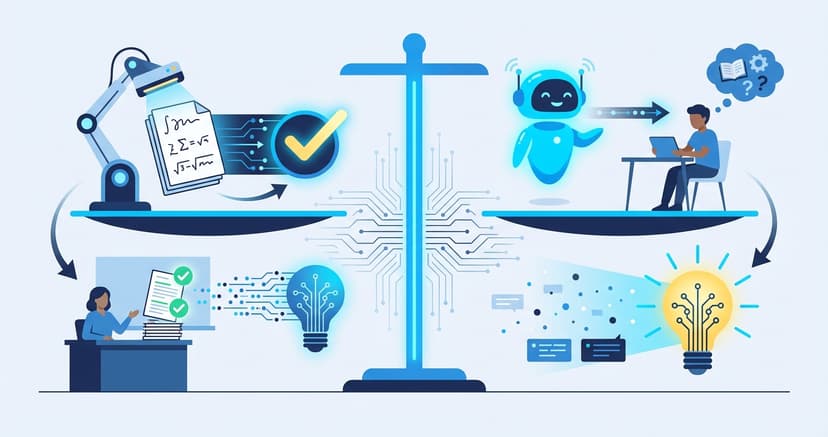
Education Technology for Smart Classrooms
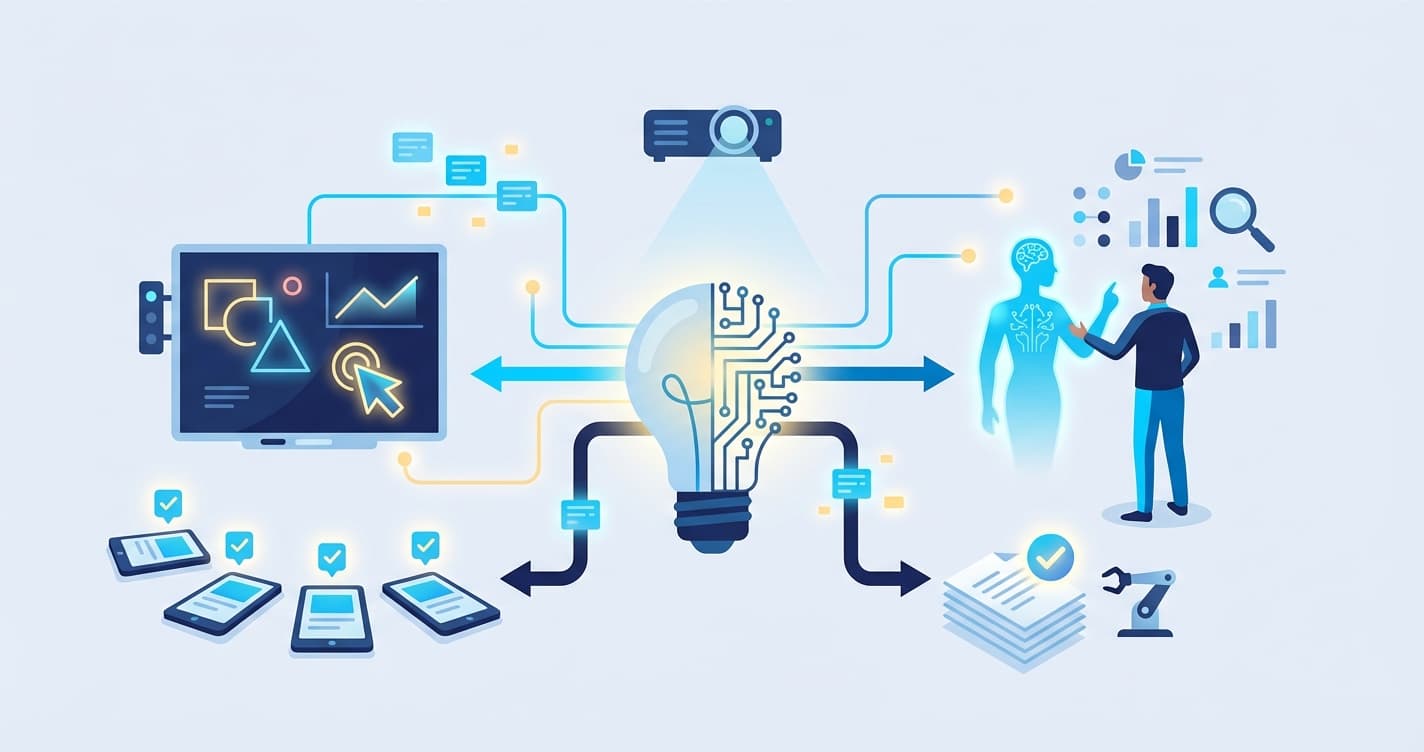
Because teams search for education technology, this guide keeps the workflow practical. It explains where AI helps, what teachers should review, and how to turn scoring into better student feedback.
Smart Classroom Technology Guide 2026: Everything Educators Need to Know

A smart classroom is a technology-enhanced learning environment that uses connected digital tools — interactive displays, IoT sensors, AI-powered software, and integrated learning management systems — to automate routine tasks, personalize instruction, and provide real-time data on student engagement and performance. Unlike a traditional classroom that happens to have a projector, a smart classroom is designed as a system where hardware, software, and pedagogy work together to make teaching more effective and learning more measurable.
The term "smart classroom" has been used loosely for over a decade, often applied to any room with a whiteboard and a laptop. In 2026, the definition has matured. A genuine smart classroom integrates multiple technologies into a cohesive ecosystem: the interactive display communicates with the learning management system, the AI grading tool feeds data into the student progress dashboard, and the IoT sensors adjust lighting and temperature based on occupancy and time of day. The intelligence is not in any single device — it is in the connections between them.
For tutoring centers, schools, and coaching institutes evaluating their technology strategy, understanding what smart classroom technology actually consists of, what it costs, and what return it delivers is essential. This guide provides the comprehensive, practical overview that decision-makers need.
What Makes a Classroom "Smart"?
A classroom becomes smart when its technology components communicate with each other and with the humans using them, creating a feedback loop that improves teaching and learning in real time. The key characteristics that distinguish a smart classroom from a merely digital one are:
Integration. The tools are connected. The interactive display is not just a standalone screen — it communicates with the LMS, which communicates with the grading platform, which feeds data to the analytics dashboard. Information flows between systems automatically, reducing manual data entry and ensuring everyone — teachers, students, parents, administrators — sees a consistent, up-to-date picture.
Automation. Routine tasks happen without human intervention. Attendance is recorded automatically. Worksheets are graded by AI. Progress reports are generated and distributed on schedule. The smart classroom handles the administrative overhead so that teachers can focus on instruction.
Personalization. The technology adapts to individual students. AI-powered tools identify knowledge gaps, adjust difficulty levels, and recommend targeted resources. In a smart classroom, two students sitting side by side might be working on different problems calibrated to their individual needs — and both are receiving instant, specific feedback.
Data-driven decision making. Every interaction generates data. Which students are struggling? Which concepts need reteaching? Which teaching methods produce the best outcomes? A smart classroom surfaces this information in real time, enabling teachers to make evidence-based adjustments rather than relying on intuition alone.
Essential Components of Smart Classroom Technology
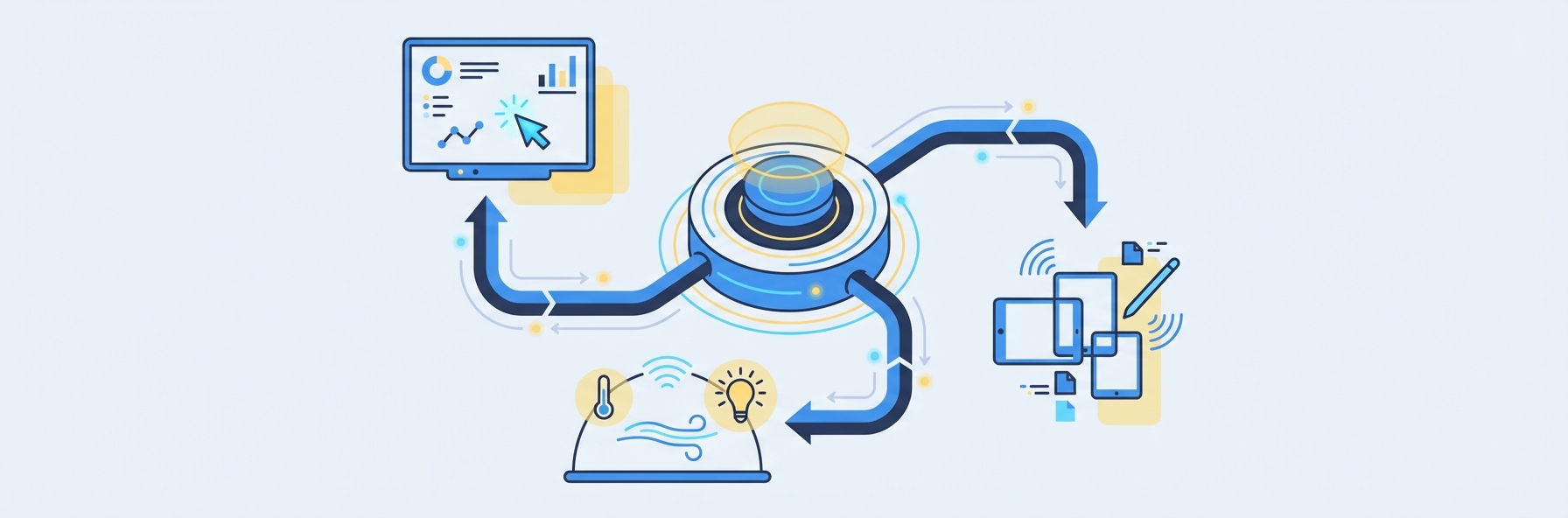
Building a smart classroom requires decisions across five categories: display and presentation, connectivity and infrastructure, AI-powered tools, learning management, and assessment and analytics.
1. Interactive Displays and Presentation Technology
The interactive display is the most visible component of smart classroom technology. In 2026, the standard options are:
- Interactive flat panels (IFPs): Large touchscreen displays (65-86 inches) that replace traditional whiteboards and projectors. Leading brands include SMART Board, Promethean, ViewSonic, and BenQ. Prices range from $2,000 for a basic 65-inch panel to $8,000+ for a premium 86-inch display with built-in computing.
- Interactive projectors: Short-throw projectors that turn any flat surface into a touchscreen. Less expensive than flat panels ($800-2,500) but lower image quality and requiring more maintenance.
- Wireless presentation systems: Devices like Barco ClickShare, Mersive Solstice, or built-in Miracast/AirPlay support that let teachers and students share their screens wirelessly to the main display. Essential for collaborative work and student presentations.
For tutoring centers and smaller classrooms, a 65-75 inch interactive flat panel combined with wireless screen sharing provides the best balance of capability and cost.
2. Connectivity and IoT Infrastructure
The "smart" in smart classroom depends on reliable, high-speed connectivity. This layer includes:
- Enterprise-grade Wi-Fi: Consumer-grade routers cannot handle 20-30 devices streaming, downloading, and uploading simultaneously. Smart classrooms require enterprise access points (Ubiquiti, Cisco Meraki, Aruba) with proper channel planning and bandwidth management. Budget $200-600 per access point, with one AP per 1-2 classrooms.
- IoT sensors: Occupancy sensors, air quality monitors, temperature and humidity sensors, and ambient light sensors can automate environmental controls and provide data on classroom utilization. Many modern HVAC systems integrate directly with these sensors.
- Device management: If students use tablets or laptops, a mobile device management (MDM) system like Jamf, Mosyle, or Microsoft Intune ensures devices are properly configured, updated, and secured. MDM costs typically run $3-8 per device per month.
- Structured cabling: Even in a wireless-first environment, the backbone must be wired. Cat6a Ethernet to every access point, display, and teacher station ensures reliability.
3. AI-Powered Teaching and Assessment Tools
This is where smart classroom technology delivers the highest return on investment. AI tools automate the most time-consuming aspects of education while simultaneously improving quality.
- AI grading platforms: Tools like IntelGrader that use OCR and machine learning to grade handwritten student work instantly. For tutoring centers processing hundreds of worksheets weekly, AI grading transforms operations — what previously consumed 10-15 hours of tutor time per week now happens in minutes. The graded results feed directly into student progress dashboards, enabling data-driven instruction. Learn more about smart grading.
- Adaptive learning platforms: Software that adjusts content difficulty and sequence based on student performance. These platforms use AI to identify knowledge gaps and generate personalized learning pathways.
- AI tutoring assistants: Chatbot-based tools that provide students with on-demand help. IntelGrader is developing an AI chatbot specifically designed for student support — one that understands each student's performance history and provides contextually relevant explanations rather than generic answers.
- Automated attendance and behavior tracking: AI-powered systems that record attendance, monitor engagement levels, and flag students who may need additional support.
4. Learning Management System (LMS)
The LMS is the central nervous system of a smart classroom. It manages content distribution, assignment collection, communication, and record-keeping. In 2026, the leading options for K-12 and tutoring include:
- Google Classroom: Free, simple, deeply integrated with Google Workspace. Ideal for organizations already using Google tools.
- Canvas: Feature-rich, widely adopted in K-12 and higher education. Pricing varies by institution size.
- Schoology (PowerSchool Learning): Strong K-12 focus with robust parent communication features.
- Custom/proprietary systems: Many tutoring center platforms, including IntelGrader, offer built-in content and assignment management alongside their core assessment features, reducing the need for a separate LMS.
The LMS should integrate with your AI grading and assessment tools. When a student completes a worksheet graded by IntelGrader, the score and feedback should automatically appear in the LMS gradebook without manual entry. This integration is what makes the smart classroom a system rather than a collection of disconnected tools.
5. Analytics and Progress Tracking Dashboards
The final essential component is the analytics layer that transforms raw data into actionable insights. Smart classroom technology generates enormous amounts of data — assessment scores, engagement metrics, attendance patterns, learning time, error frequencies. Without a dashboard to visualize and interpret this data, it sits unused.
Effective analytics dashboards provide:
- Student-level progress tracking: How is each individual student performing over time? Which topics are they mastering, and where are they struggling?
- Class-level performance views: How is the group performing? Are there topics that the entire class found difficult, suggesting a need for reteaching?
- Comparative benchmarking: How do students compare to peers at similar levels? How does this tutoring center's outcomes compare to other locations?
- Parent-facing reports: Clear, visual progress reports that keep parents informed and engaged — critical for tutoring centers where parent satisfaction drives retention.
IntelGrader's analytics dashboard is purpose-built for tutoring centers, providing all four of these views alongside AI-powered recommendations for what each student should work on next.
Setting Up a Smart Classroom: Step-by-Step Guide
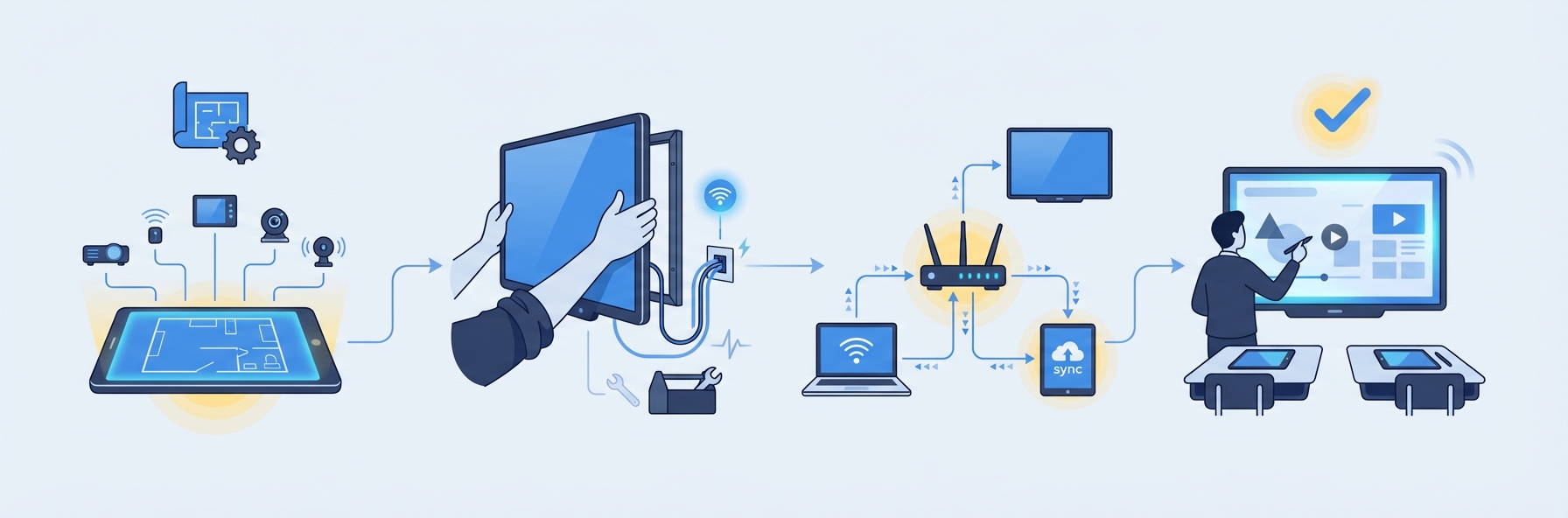
Step 1: Assess Your Current State and Goals
Before purchasing any technology, answer these questions:
- What are the specific pain points you want to solve? (Grading time? Student engagement? Parent communication? Data-driven instruction?)
- What technology do you already have? (Existing devices, displays, internet infrastructure?)
- What is your budget — both upfront capital and ongoing operational costs?
- What is your staff's current technology comfort level?
Map your goals to specific technology components. If grading time is the primary pain point, an AI grading platform like IntelGrader delivers the fastest ROI. If student engagement is the challenge, interactive displays and simulation tools may take priority.
Step 2: Upgrade Your Connectivity Infrastructure
This must come first. Every other component depends on reliable, fast internet. Assess your current bandwidth and upgrade if necessary. Install enterprise-grade Wi-Fi access points. Ensure every classroom has sufficient electrical outlets and structured cabling.
A common mistake is investing in expensive interactive displays and AI tools before upgrading the network infrastructure. A $6,000 interactive panel is useless if the Wi-Fi drops every ten minutes.
Step 3: Select and Install Display Technology
Choose your interactive display based on room size, budget, and use case. For a tutoring center classroom seating 10-15 students, a 65-inch interactive flat panel is typically sufficient. For larger classrooms, 75-86 inches is more appropriate.
Mount the display, connect it to the network, and configure wireless presentation sharing. Train your staff on the basic features before moving to the next step.
Step 4: Deploy Your AI Assessment and Learning Tools
This is the highest-impact step for most education providers. Deploy your AI grading platform, configure it with your worksheets and curricula, and train your tutors on the workflow. For IntelGrader, this means uploading your existing worksheets, setting up student profiles, and running a few test batches to familiarize staff with the system.
Simultaneously, set up your LMS (if not already in place) and ensure it integrates with your assessment tools.
Step 5: Implement Analytics and Reporting
Configure your dashboards, set up automated report generation, and establish a regular cadence for reviewing data. Weekly review meetings where staff examine class-level and student-level data are essential for translating smart classroom technology from an investment into improved outcomes.
Step 6: Train, Launch, and Iterate
Conduct comprehensive staff training covering all components. Launch with a pilot group — one class, one subject, one grade level — and collect feedback from teachers, students, and parents. Use this feedback to refine your approach before scaling across the organization.
Budget Ranges: Basic, Intermediate, and Advanced
Basic Smart Classroom ($3,000-5,000 per room)
- 65-inch interactive flat panel: $2,000-3,000
- Enterprise Wi-Fi access point: $200-400
- Wireless presentation adapter: $200-400
- AI grading platform subscription: $50-200/month
- LMS: Free (Google Classroom)
- Basic analytics: Included with grading platform
Best for: Small tutoring centers with 1-3 classrooms looking to modernize without a large capital investment. This setup delivers immediate time savings through AI grading and provides a foundation for future expansion.
Intermediate Smart Classroom ($8,000-15,000 per room)
- 75-inch premium interactive flat panel: $3,500-5,000
- Enterprise Wi-Fi with full coverage: $500-1,000
- Student tablets or Chromebooks (class set): $3,000-6,000
- AI grading and assessment platform: $100-400/month
- Paid LMS: $500-2,000/year
- IoT sensors (occupancy, air quality): $300-800
- Advanced analytics dashboard: Included or $50-150/month
Best for: Established tutoring centers with 3-10 locations and schools looking for comprehensive smart classroom technology that supports personalized learning at scale.
Advanced Smart Classroom ($20,000-35,000+ per room)
- 86-inch premium interactive flat panel: $5,000-8,000
- Full enterprise networking infrastructure: $2,000-5,000
- 1:1 student devices: $5,000-12,000
- Full AI platform suite (grading, adaptive learning, chatbot): $300-800/month
- VR headsets (class set of 15): $5,000-8,000
- Comprehensive IoT and environmental controls: $1,500-3,000
- Custom analytics and reporting: $200-500/month
Best for: Premium education providers, STEM-focused schools, and large tutoring chains that differentiate on technology and are willing to invest heavily in the student experience.
How AI Integration Transforms the Smart Classroom
Smart classroom technology reaches its full potential when AI is deeply integrated into the daily workflow. Here is what AI integration looks like in practice across key operational areas.
AI-Powered Grading
Traditional grading is the single biggest time drain for tutoring centers. A center with 200 students, each completing two worksheets per week, faces 400 worksheets that need grading — approximately 20-30 hours of manual marking. Smart classroom technology with AI grading, such as IntelGrader's platform, reduces this to minutes. The tutor's role shifts from marking to analysis and instruction. Instead of spending their evening with a red pen, they spend it reviewing the AI-generated insights and planning targeted interventions for the students who need them most.
AI-Powered Attendance and Administration
Smart classroom technology can automate attendance through facial recognition, RFID cards, or QR code scanning. These systems eliminate the daily five-minute attendance ritual and provide accurate records without manual data entry. More advanced implementations detect patterns — a student who is frequently late to Tuesday sessions or whose attendance is declining — and flag them for proactive intervention.
AI-Powered Student Engagement Analysis
Emerging smart classroom technology includes AI systems that assess engagement levels during lessons. These tools analyze participation patterns, response times on interactive activities, and even body language (through opt-in camera systems) to provide teachers with a real-time engagement score for the class. When engagement drops, the system can suggest an activity change or break.
AI-Powered Adaptive Testing
The most advanced smart classroom implementation uses AI to generate personalized assessments for each student. Rather than every student taking the same test, the AI creates custom assessments calibrated to each student's level — using knowledge graph technology that maps conceptual dependencies and identifies the most informative questions to ask. IntelGrader's development of adaptive testing with knowledge graph technology represents this frontier, where every assessment is simultaneously a learning tool and a diagnostic instrument.
Case Studies: Smart Classrooms in Action
Case Study 1: Urban Tutoring Center Chain (India)
A tutoring center chain with 12 locations in Mumbai deployed smart classroom technology across all classrooms in 2026. The implementation included interactive flat panels, AI-powered grading (using IntelGrader), and centralized analytics dashboards.
Results after 12 months:
- Grading time reduced from 22 hours/week (across all locations) to under 2 hours
- Student retention rate improved from 71% to 84%
- Parent satisfaction scores increased by 23% (driven by detailed, data-backed progress reports)
- Average student improvement rate on standardized assessments increased by 18%
The total investment was approximately $8,000 per classroom (intermediate level), with payback achieved in 9 months through reduced staffing costs and improved student retention.
Case Study 2: After-School STEM Program (United States)
A nonprofit after-school STEM program in Texas equipped two classrooms with advanced smart classroom technology including VR headsets, AI grading, and adaptive learning platforms.
Results after 6 months:
- Student engagement (measured by attendance consistency) improved by 31%
- Science assessment scores increased by 22% compared to the previous cohort
- Teacher preparation time reduced by 40% due to automated grading and AI-generated lesson recommendations
- Program attracted 35% more enrollment due to reputation as a technology-forward provider
ROI Analysis: Is Smart Classroom Technology Worth the Investment?
For education providers, the ROI of smart classroom technology comes from five sources:
1. Labor Cost Savings
AI grading alone typically saves 10-15 hours of tutor time per week for a medium-sized tutoring center. At $20-35/hour for tutor labor, that is $10,000-27,000 per year in direct savings — often exceeding the total cost of the technology investment.
2. Improved Student Retention
Students who receive instant feedback, personalized instruction, and engaging technology-enhanced lessons are more likely to stay enrolled. For a tutoring center where the average student pays $200-400/month, improving retention by even 5-10% generates significant revenue impact.
3. Higher Enrollment Through Differentiation
Parents increasingly expect technology-enhanced learning experiences. Smart classroom technology becomes a marketing differentiator that attracts new students and justifies premium pricing.
4. Reduced Administrative Overhead
Automated attendance, AI grading, auto-generated progress reports, and integrated record-keeping reduce the administrative hours required to operate each classroom. This efficiency gain becomes more significant as the organization scales.
5. Better Learning Outcomes
Ultimately, the purpose of smart classroom technology is to improve learning. Better outcomes lead to better word-of-mouth referrals, higher parent satisfaction, stronger standardized test results, and a reputation that sustains long-term growth.
For most tutoring centers, the payback period on a basic-to-intermediate smart classroom investment is 6-12 months. The ongoing operational savings and revenue benefits compound over time.
Frequently Asked Questions
What is smart classroom technology?
Smart classroom technology is an integrated system of connected digital tools — including interactive displays, AI-powered assessment platforms, learning management systems, IoT sensors, and data analytics dashboards — that work together to automate administrative tasks, personalize instruction, and provide real-time insights into student performance. A smart classroom is distinguished from a merely digital classroom by the integration between its components: data flows automatically between systems, reducing manual effort and enabling data-driven decisions. In 2026, smart classroom technology ranges from basic setups (interactive display plus AI grading) costing $3,000-5,000 per room to advanced implementations with VR, adaptive testing, and comprehensive IoT infrastructure costing $20,000-35,000+ per room.
How much does it cost to set up a smart classroom?
Costs depend on the level of implementation. A basic smart classroom with an interactive flat panel, enterprise Wi-Fi, and an AI grading subscription starts at $3,000-5,000 per room plus $50-200/month in software costs. An intermediate setup with student devices, advanced analytics, and IoT sensors runs $8,000-15,000 per room. A fully equipped advanced smart classroom with VR hardware, 1:1 devices, and comprehensive AI tools can cost $20,000-35,000+ per room. The most important factor is not the total spend but the alignment between your investment and your specific goals. Many tutoring centers achieve the highest ROI by starting with AI grading technology — which delivers immediate, measurable time savings — and expanding from there.
What technology do teachers need to learn to use a smart classroom?
The learning curve depends on the specific tools, but most modern smart classroom technology is designed for educators, not IT professionals. Interactive flat panels operate like large tablets — if your staff can use a smartphone, they can use an IFP. AI grading platforms like IntelGrader require minimal training: upload a worksheet, photograph student work, and the AI handles the rest. LMS platforms like Google Classroom are similarly straightforward. The biggest training investment is not in technical skills but in pedagogical adaptation — helping teachers understand how to use the technology to enhance their teaching rather than simply digitizing their existing approach. Plan for 4-8 hours of initial training and ongoing monthly refreshers.
Can smart classroom technology work in small tutoring centers with limited budgets?
Absolutely. Smart classroom technology is not exclusive to large, well-funded institutions. A tutoring center with a single classroom can implement a meaningful smart classroom setup for under $5,000 upfront. The highest-impact, lowest-cost starting point is an AI grading platform — which requires no hardware purchase beyond a smartphone for photographing worksheets — combined with a free LMS like Google Classroom. This combination delivers immediate time savings (typically 10-15 hours/week of grading time), improved feedback quality, and data-driven progress tracking. As the center grows and generates returns from the initial investment, it can layer on additional components: an interactive display, student devices, IoT sensors, and advanced analytics.
How do I measure the ROI of smart classroom technology?
Measure ROI across four dimensions: time savings, learning outcomes, student retention, and enrollment growth. For time savings, track the hours spent on grading, attendance, and reporting before and after implementation — AI grading alone typically saves 10-15 hours per week. For learning outcomes, compare assessment scores before and after implementation using a consistent measurement approach. For retention, track the percentage of students who remain enrolled month-over-month and compare to your pre-implementation baseline. For enrollment, monitor whether the technology investment is attracting new students. Most tutoring centers find that the labor cost savings alone justify the investment within 6-12 months, with learning outcomes, retention, and enrollment providing additional long-term returns. Book a demo with IntelGrader to see how AI grading fits into your smart classroom strategy.
Sources
EdTech Magazine. "What Is a Smart Classroom? A Complete Guide for IT Leaders in Education." 2026. https://edtechmagazine.com/k12/article/2024/01/what-smart-classroom
International Society for Technology in Education (ISTE). "ISTE Standards for Educators." https://www.iste.org/standards/educators
Hattie, J. Visible Learning: A Synthesis of Over 800 Meta-Analyses Relating to Achievement. Routledge, 2009.
Markets and Markets. "Smart Classroom Market: Global Forecast to 2027." https://www.marketsandmarkets.com
U.S. Department of Education, Office of Educational Technology. "Reimagining the Role of Technology in Education: National Educational Technology Plan." 2024. https://tech.ed.gov
Ready to add AI-powered grading to your smart classroom? Book a demo with IntelGrader and see how instant, automated assessment transforms your tutoring center's operations.
Explore the AI in Education Guide for more on how artificial intelligence is reshaping teaching and learning.
Ready to transform your grading?
See how IntelGrader can save your tutoring centre 10+ hours per week with AI-powered grading.